This website uses cookies to ensure you get the best experience on our website.

Skip to content
LOGO
  • Company

    About IGNEK

    Learn about our story and our mission.

    Careers

    We're hiring!

    We always looking for talented peoples. Join our team!

    Blogs

    The latest industry news, updates and info.

    Case Studies

    Take a closer look at the projects we've delivered

    Webinar

    Watch our latest organized webinar

    Get in touch with our HR team

    • hr@insights.ignek.com
    • +91 93284 95160
    • Ahmedabad, Gujarat, India – 382470
  • Services

    Enterprise Portal Development

    Custom Enterprise Portal Development for flawless Solutions

    Dedicated Development Team

    Expand Teams, Optimize Development with Our Expertise

    Back-end Development

    Empowering your digital presence with robust backend development expertise

    Front-end Development

    Crafting engaging user experiences through expert frontend development

    Digital Transformation

    Embrace digital transformation by modernizing process

    SaaS Development

    Transform your business with SaaS Innovative Solutions

    Technologies

    Liferay Services

    Development & Customization

    Theme

    Upgradation

    Migration

    Proof of Concept

    Performance Tunning

    Architecture

    Support & Maintenance

    E-commerce

    Expert Advice

    React Services

    Enterprise Development

    Custom Application

    Single Page Application

    Architecture

    API Integration

    Migration

    Consulting

    Maintenance & Support

    Spring Boot Services

    Web Service

    MVC Web Development

    API Integration

    Security

    Migration

    Microservices

    Support & Maintenance

    AEM Services

    Consulting Service

    Site Development

    Migration & Upgradation

    Integration

    Maintenance & Support

    Custom Solutions

    Content Management

    Team Augementation

  • Solution

    Ready for digital excellence

    In our rapidly evolving world, businesses are always on the lookout for fresh ways to improve their operations and connect with their audiences.

    Contact US

    Solutions

    SaaS : Software As A Service

    Transforming industries through cutting edge SaaS solutions.

    Customer Portal : Boost Business Productivity

    Streamline operations and enhance productivity with our Customer Portal solution.

    Liferay Based Intranet Portal

    Internal portal for company communication, collaboration and resources

    Integration

    Matomo Integration with Liferay

    Integrate Matomo to enable user interactions seamlessly.

    Microsoft Teams integration with Liferay

    Integrate to enable seamless collaboration, messaging within your portal.

    Jira Integration With Liferay

    Optimizes business operations by integrating with Jira.

  • Hire Us

    Liferay

    Get expert Liferay developers for seamless portal solutions.

    React JS

    Get expert ReactJS developers for dynamic web solutions.

    Web Developer

    Get custom web solutions from IGNEK's expert developers.

    Spring Boot

    Get top-notch Spring Boot developers for your project success!

    Healthcare

    Get top Healthcare Developers for cutting-edge medical software.

    MERN Stack

    Get expert MERN developers from IGNEK for custom, innovative project solutions.

    Why Hire Developers From IGNEK ?

    • Certified Developer
    • Transparent Communication
    • Flexible Hiring Modals
    • Fully Signed NDA
    • Cost Effective
    • Easy Exit Policy

    Get in touch with our Sales team

    • sales@insights.ignek.com
    • +91 6351576580
    • info@insights.ignek.com
    • Ahmedabad, Gujarat, India – 382470
SCHEDULE CALL
  • COMPANY
    • About
    • Case Studies
    • Blogs
    • Career
    • Webinar
  • SERVICES
    • Enterprise Portal Development
    • Dedicated Development Team
    • Back-end Development
    • Front-end Development
    • Digital Transformation
    • SaaS Development
  • SOLUTION
    • Customer Portal:  Boost Business Productivity
    • SaaS : Software as a Service
    • Liferay Based Employee Intranet Portal
  • TECHNOLOGY
    • Liferay Services
      • Liferay Development and Customization
      • Liferay Theme Development Service
      • Liferay DXP 7.4 Upgrade
      • Liferay Migration
      • Liferay Proof Of Concept
      • Liferay Performance Tuning
      • Liferay Architecture Design Service
      • Liferay Support And Maintenance Service
      • Liferay Ecommerce Development
      • Liferay Expert Advice
    • ReactJS Services
      • ReactJS Enterprise Application Development
      • ReactJS Custom Application Development
      • ReactJS Single Page Application Development (SPA)
      • ReactJS Applications Architecture
      • ReactJS API Integration
      • ReactJS Migration
      • ReactJS Consulting
      • ReactJS Maintenance and Support
    • Spring Boot Services
      • Spring Boot Web Development Service
      • Spring MVC Web Development
      • Spring Boot API Integration Service
      • Spring Boot Security
      • Spring Boot Migration Service
      • Spring Boot Microservices
      • Spring Boot Support & Maintenance Service
    • AEM Development Services
      • AEM Consulting Services
      • AEM Site Development
      • AEM Migration & Upgradation
      • AEM Integration Services
      • AEM Maintenance & Support
      • AEM Content Management
      • Custom AEM Solutions
      • AEM Team Augmentation
  • INTEGRATION
  • HIRE US
    • Hire Liferay Developer
    • Hire ReactJS Developer
    • Hire Spring Boot Developer
    • Hire Healthcare Developer
    • Hire Web Developer
    • Hire MERN Stack Developer
  • CONTACT US
  • Company

    About IGNEK

    Careers

    We're hiring!

    Blogs

    Case Studies

    Webinar

    Get in touch with our HR team

    • hr@insights.ignek.com
    • +91 93284 95160
    • Ahmedabad, Gujarat, India – 382470
  • Services

    Enterprise Portal Development

    Dedicated Development Team

    Back-end Development

    Front-end Development

    Digital Transformation

    SaaS Development

    Technologies

    Liferay Liferay Services
    • Development & Customization
    • Theme
    • Upgradation
    • Migration
    • Proof of Concept
    • Performance Tuning
    • Architecture
    • Support & Maintenance
    • E-commerce
    • Expert Advice
    React React Services
    • Enterprise Development
    • Custom Application
    • Single Page Application
    • Architecture
    • API Integration
    • Migration
    • Consulting
    • Maintenance & Support
    Spring Boot Spring Boot Services
    • Web Service
    • MVC Web Development
    • API Integration
    • Security
    • Migration
    • Microservices
    • Support & Maintenance
    AEM AEM Services
    • Consulting Service
    • Site Development
    • Migration & Upgradation
    • Integration
    • Maintenance & Support
    • Custom Solutions
    • Content Management
    • Team Augmentation
  • Solution

    Ready for digital excellence

    In our rapidly evolving world, businesses are always on the lookout for fresh ways to improve their operations and connect with their audiences.

    Contact US

    Solutions

    SaaS : Software As A Service

    Customer Portal : Boost Business Productivity

    Liferay Based Intranet Portal

    Integration

    Matomo Integration with Liferay

    Microsoft Teams integration with Liferay

    Jira Integration With Liferay

  • Hire Us

    Liferay

    React JS

    Web Developer

    Spring Boot

    Healthcare

    MERN Stack

    Why Hire Developers From IGNEK ?

    • Certified Developer
    • Transparent Communication
    • Flexible Hiring Modals
    • Fully Signed NDA
    • Cost Effective
    • Easy Exit Policy

    Get in touch with our Sales team

    • sales@insights.ignek.com
    • +91 6351576580
    • IGNEK
    • Ahmedabad, Gujarat, India – 382470
  • SCHEDULE CALL

Google, Facebook, and OTP Login Integration using Firebase in React : Part – 2

  • ReactJS
  • November 25, 2025

Share On :

Introduction

This guide builds upon Part 1 : Google Authentication where we established the core authentication architecture. We’ll now add Facebook authentication using the same foundation – authentication service, context, and Firebase configuration.

Prerequisites

  • Completed Part 1 : Google Authentication setup
  • Facebook Developer account
  • Existing Firebase project with authentication enabled

Facebook Developer Setup

Step 1 : Set Up Facebook Developer Account

  1. Go to Facebook for Developers
  2. Click “Get Started” and complete the setup
  3. Click “Create App”
  4. Choose “Consumer” as the app type
  5. Enter your app details and create the app

Step 2: Configure Facebook Login

  1. In your Facebook app dashboard, click “Add Product”
  2. Find “Facebook Login” and click “Set Up”
  3. Choose “Web” platform
  4. Enter your site URL: http://localhost:3000 (for development)
  5. Go to Facebook Login → Settings

Add the following to “Valid OAuth Redirect URIs”:

				
					https://your-project-id.firebaseapp.com/__/auth/handler


Step 3 : Connect Facebook to Firebase

  1. In Facebook app dashboard, go to Settings → Basic
  2. Copy your App ID and App Secret
  3. In Firebase Console → Authentication → Sign-in method → Facebook
  4. Paste your App ID and App Secret
  5. Copy the OAuth redirect URI from Firebase and add it to your Facebook app
Update Components

Update Firebase Configuration

Extend your existing src/config/firebase.ts :

				
					// Add to existing imports
import { FacebookAuthProvider } from 'firebase/auth';

// Add after existing googleProvider
export const facebookProvider = new FacebookAuthProvider();
facebookProvider.addScope('email');


Update Authentication Service

Extend src/services/authService.ts with Facebook methods :

				
					// Add to existing AuthService class
class AuthService {
  // ... existing Google methods

  // Facebook Sign In
  async signInWithFacebook(): Promise<AuthUser | null> {
    try {
      const result = await signInWithPopup(auth, facebookProvider);
      return this.formatUser(result.user);
    } catch (error: any) {
      console.error('Facebook sign in error:', error);
      
      // Handle Facebook-specific errors
      if (error.code === 'auth/account-exists-with-different-credential') {
        throw new Error('Account exists with different sign-in method');
      } else if (error.code === 'auth/popup-closed-by-user') {
        throw new Error('Sign-in cancelled by user');
      }
      
      throw new Error('Failed to sign in with Facebook');
    }
  }

  // ... rest of existing methods
}


Update Authentication Context

Add Facebook support to src/contexts/AuthContext.tsx :

				
					// Add to AuthContextType interface
interface AuthContextType {
  // ... existing properties
  signInWithFacebook: () => Promise<void>;
}
// Add to AuthProvider component
export const AuthProvider: React.FC<AuthProviderProps> = ({ children }) => {
  // ... existing state and effects
  const signInWithFacebook = async (): Promise<void> => {
    try {
      setError(null);
      setLoading(true);
      await authService.signInWithFacebook();
    } catch (error: any) {
      setError(error.message);
      throw error;
    } finally {
      setLoading(false);
    }
  };

  const value = {
    // ... existing values
    signInWithFacebook
  };

  return <AuthContext.Provider value={value}>{children}</AuthContext.Provider>;
};


Facebook Authentication Component

Create src/components/FacebookAuth.tsx :

				
					// FacebookAuth.tsx
import { useAuth } from '../../contexts/AuthContext';
const FacebookAuth: React.FC = () => {
  const { signInWithFacebook } = useAuth();
 // here you can manage loading and errors etc.

  const handleFacebookSignIn = async () => {
    try {
      await signInWithFacebook();
    } catch (err: any) {
      setError(err.message || 'Facebook sign in failed');
    }
  };

  return (
    <Box>
      <Button variant=”contained” onClick={handleFacebookSignIn}>
        Sign in with Facebook
      </Button>
    </Box>
  );
};

export default FacebookAuth;


Update Authentication Container 

Update src/components/auth/AuthenticationContainer.tsx :

				
					// AuthenticationContainer.tsx
//Existing imports..
import FacebookAuth from "./FacebookAuth";

const AuthenticationContainer: React.FC = () => {
  return (
      //In this after GoogleAuth add Below line
      <FacebookAuth />
  );
};
//Other things remain as it is 


After making these changes in your existing project you will be able to use the Facebook Authentication method in your project.

Facebook-Specific Considerations

Privacy and Permissions

Facebook authentication requests basic permissions by default :

  • Public profile
  • Email address

Additional permissions require Facebook app review :

				
					// Request additional permissions (requires app review)
facebookProvider.addScope('user_birthday');
facebookProvider.addScope('user_location');


Account Linking

Handle cases where users have accounts with different providers :

				
					// In your error handling
if (error.code === 'auth/account-exists-with-different-credential') {
  // Prompt user to sign in with existing method first
  // Then link accounts using linkWithCredential()
}


Testing in Development

Facebook Login requires HTTPS in production, but localhost works for development. For testing :

  1. Use Facebook’s test users feature
  2. Add test accounts in Facebook Developer dashboard
  3. Or use your personal Facebook account during development

Production Deployment

Before going live :

  1. Domain Verification : Add production domain to Facebook app settings
  2. App Review : Submit for review if using additional permissions
  3. HTTPS Required : Facebook Login requires HTTPS in production
  4. Privacy Policy : Required link in Facebook app settings
Common Issues and Solutions
  • Popup Blocked :

Facebook popups are commonly blocked. Provide clear user instructions or implement redirect flow as fallback.

  • App Not Live :

Ensure your Facebook app is set to “Live” mode in the app dashboard.

  • Invalid OAuth URI :

Double-check that Firebase redirect URI matches exactly in Facebook settings.

  • Testing :
  1. Start development server: npm run dev
  2. Click “Continue with Facebook”
  3. Complete Facebook OAuth flow
  4. Verify user data in dashboard
Next Steps

With Google and Facebook authentication complete, you now have :

  • Multi-provider OAuth support
  • Consistent error handling
  • Type-safe authentication flow
  • Material-UI integration

Part 3 will cover phone/SMS authentication, completing your full authentication system.

Key Differences from Google Auth

Facebook authentication has some unique characteristics :

  • Stricter app review process for permissions
  • Different error codes and handling
  • More restrictive development vs production environments
  • Additional privacy policy requirements

The beauty of our architecture is that adding Facebook required minimal changes to the core system, demonstrating the power of well-structured authentication services.
Loading...

Related Blogs

June 25, 2025
How Lockfiles Ensure Stability and How to Read Them
November 25, 2025
Google, Facebook, and OTP Login Integration using Firebase in React : Part - 1
March 28, 2024
Performance Tuning With Liferay
Loading...

Featured Projects Portfolios

November 27, 2023
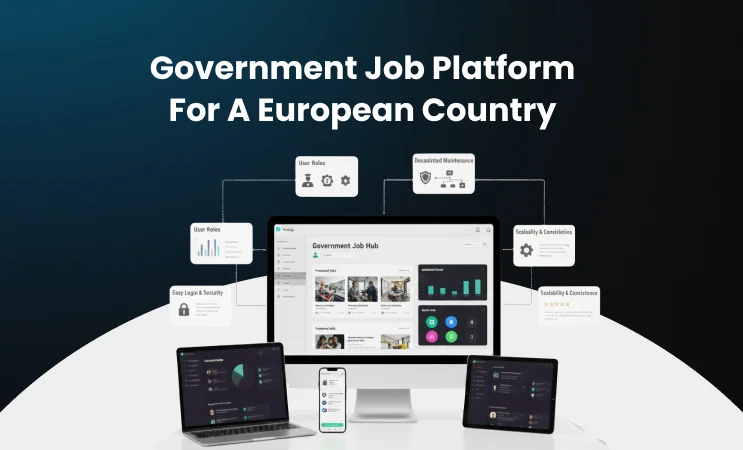
Government Job Platform _ User-Friendly, Secure, and Scalable
Government Job Platform : User-Friendly, Secure, and Scalable
October 4, 2023
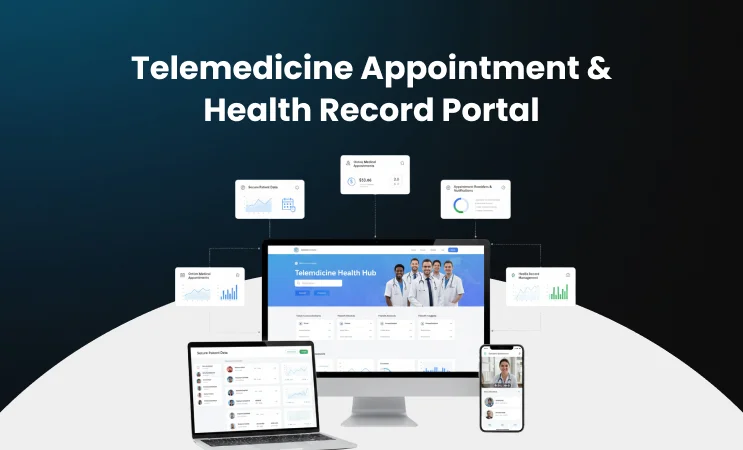
Telemedicine Appointment & Health Record Portal
June 19, 2024
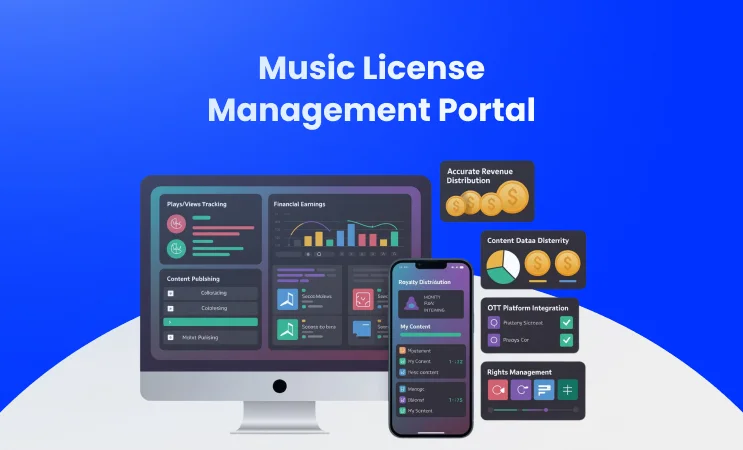
Music License Management Portal _ Onboarding & Data Integrity
Music License Management Portal : Onboarding & Data Integrity

Digital Solutions for Your Business with IGNEK

4.9

5.0

5.0

5.0

LOGO

Making the world a better place through constructing elegant hierarchies

COMPANY

  • About
  • Career
  • Case Study
  • Blogs

SERVICES

  • Enterprise Portal Development
  • Dedicated Development Team
  • Back-end Development
  • Front-end Development
  • Digital Transformation
  • SaaS Development

HIRE US

  • Liferay
  • Spring Boot
  • ReactJS
  • Healthcare
  • MERN Stack
  • AEM

CONTACT

  • info@insights.ignek.com
  • info@insights.ignek.com
SALES
  • sales@insights.ignek.com
  • (+91) 635 157 6580
CAREER
  • hr@insights.ignek.com
  • (+91) 932 849 5160
  • E 910-912, Ganesh Glory 11, Jagatpur Road, SG Highway, Ahmedabad, Gujarat - 382470

© 2018-2026 IGNEK, Inc. All rights reserved

Linkedin Facebook X-twitter Instagram